On this page
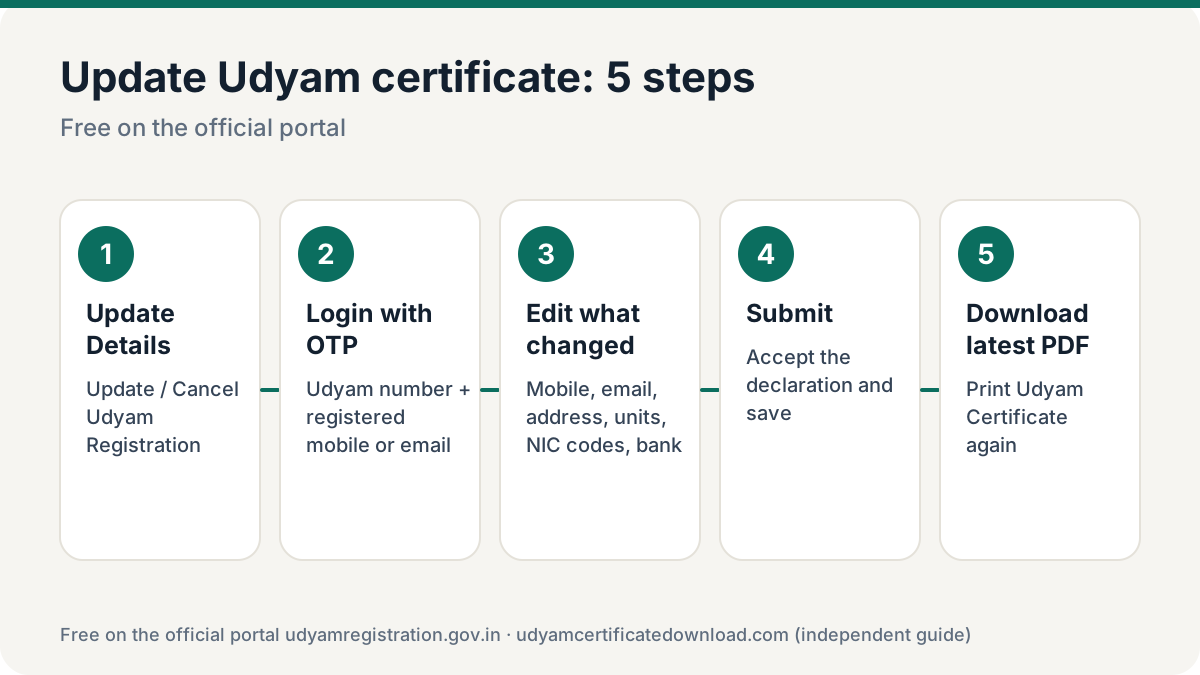
To update Udyam certificate details, log in on udyamregistration.gov.in through Update Details → Update/Cancel Udyam Registration with your Udyam number and an OTP, edit the details and submit. Then go to Print / Verify → Print Udyam Certificate to download the latest certificate with the new details. Updating and downloading are free.
What you can update
Contact details
Mobile number and email ID (OTP on the current one is needed).
Address & units
Official address, plant/unit locations, adding new units.
Business activity
Major activity and NIC codes — add or change products and services.
Bank & employees
Bank account, IFSC and number of employees.
Investment and turnover — and so your Micro/Small/Medium classification — are taken from ITR and GST data linked to your PAN and refreshed by the system. You usually don’t type them in. Core identity details tied to Aadhaar and PAN generally cannot be edited.
How to update Udyam registration and download the latest certificate
Open Update Details
On udyamregistration.gov.in open Update Details → Update/Cancel Udyam Registration (the Udyami login).
Log in with Udyam number + OTP
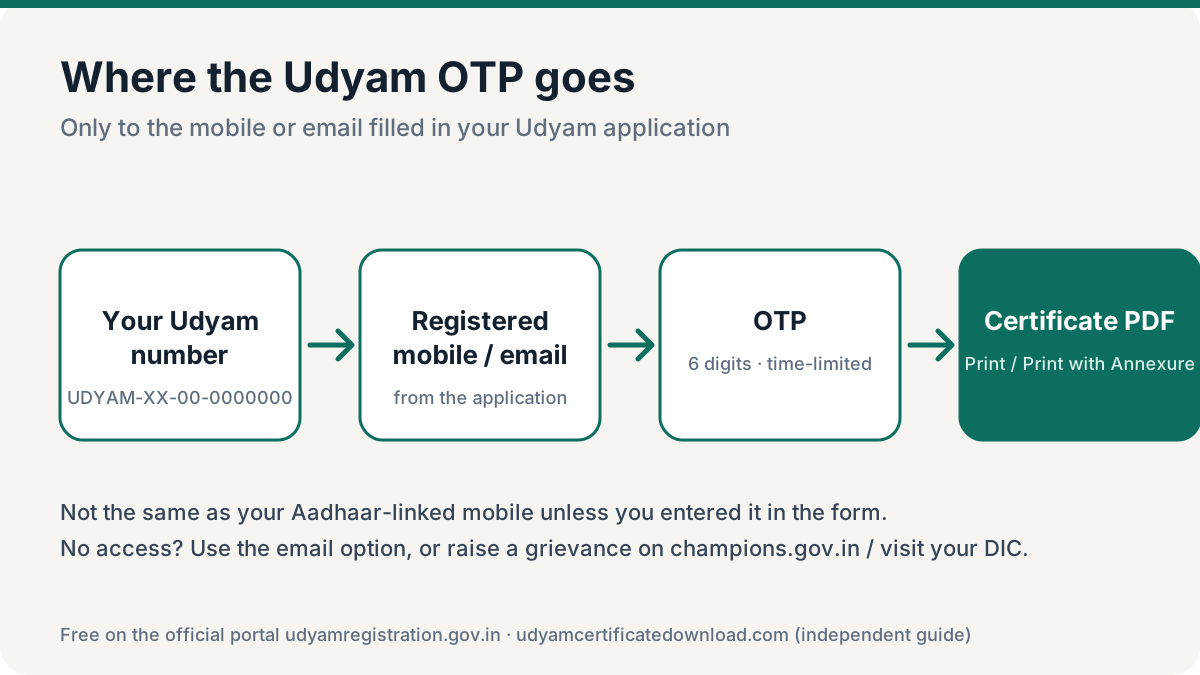
Enter your Udyam number and the mobile filled in the application, choose mobile or email OTP, enter the verification code and validate the OTP.
Edit the details
Choose the edit/update option, change only what has changed, and review every field before moving on.
Submit with final OTP
Accept the declaration and submit. Wait for the success message.
Download the latest certificate
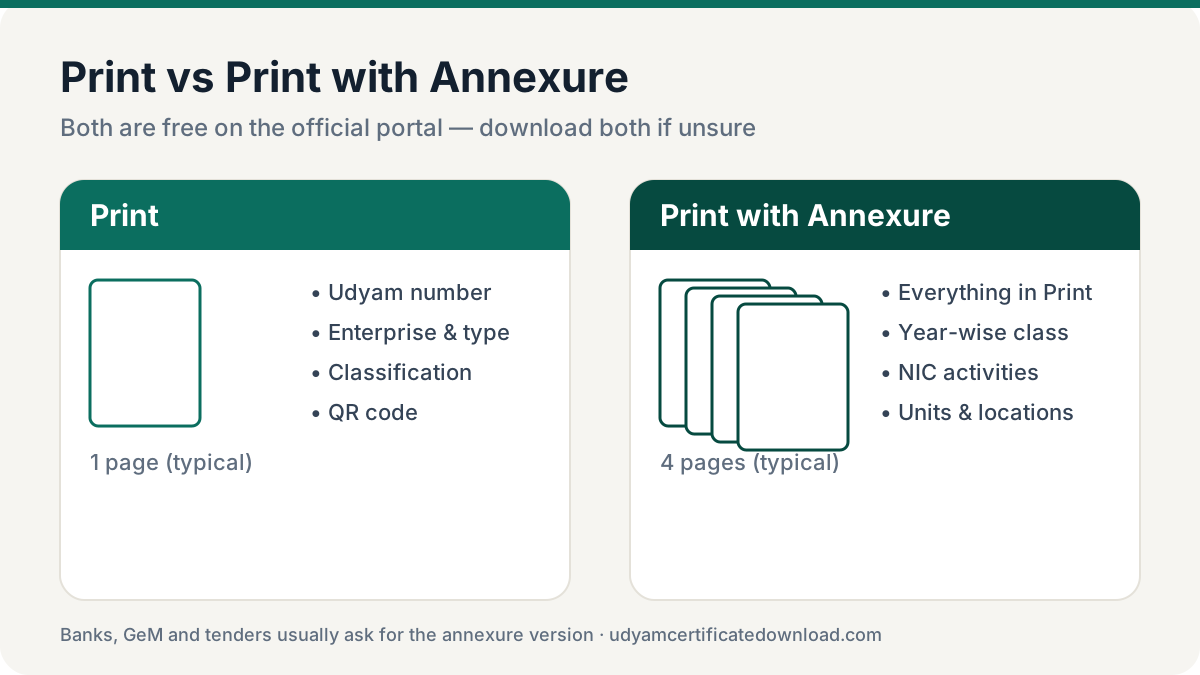
Go to Print / Verify → Print Udyam Certificate, verify OTP and click Print or Print with Annexure. Save the new PDF and stop using older copies.
After you update Udyam certificate details
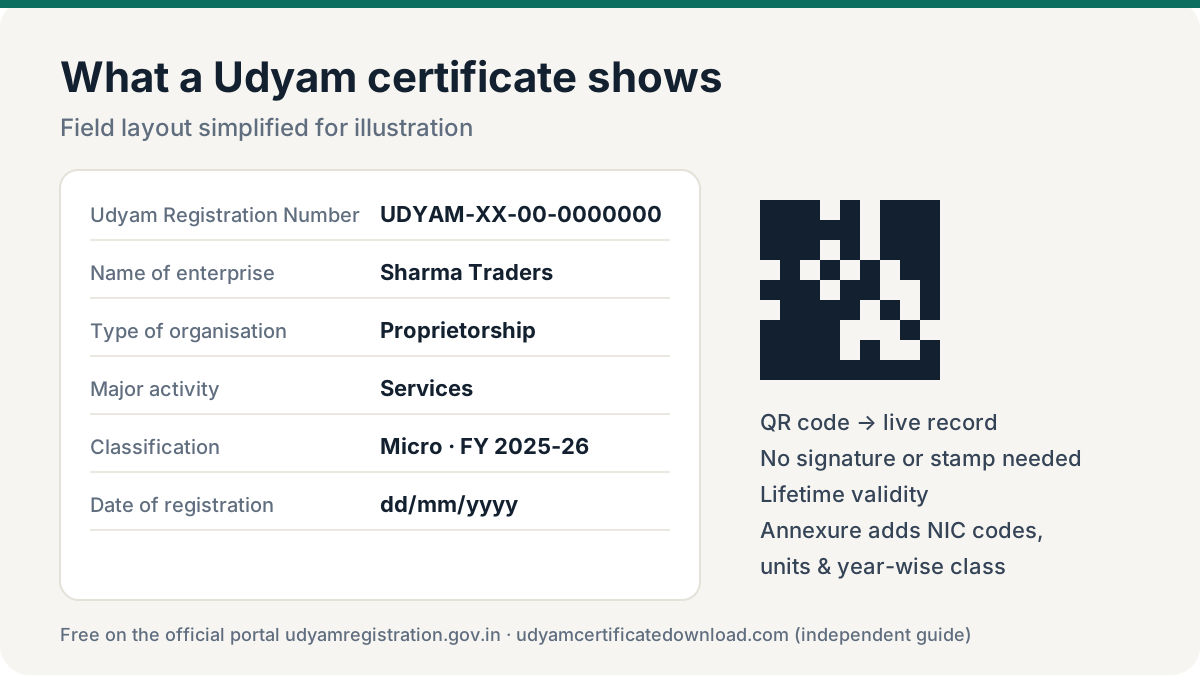
Once the update is saved, the portal regenerates your certificate from the new record. A few things to do right away:
- Download the latest Udyam certificate. Use the Udyam certificate download steps and save both the plain and the annexure version.
- Check it yourself. Run a quick Udyam verification to confirm the portal shows the new details.
- Replace old copies. Send the new PDF to your bank, GeM profile and key buyers so their files match the portal.
- Note the new contact. If you changed the mobile or email, future OTPs go there — keep it active.
Why the latest copy matters
Banks, GeM and tender teams increasingly verify your Udyam number online. If your paper copy shows an old address or classification, it won’t match the portal and can delay a loan or bid. After every update — and at the start of each financial year when classification may refresh — download a new Udyam certificate.
Cancelling a Udyam registration
The same login offers cancellation if the business has closed. Cancellation is serious — the number stops working for loans, tenders and payment claims. Don’t cancel just to fix mistakes; update Udyam registration details instead. If you forgot the Udyam number needed to log in, recover it first.
Frequently asked questions
How do I download the updated Udyam certificate?
After submitting the update, open Print / Verify → Print Udyam Certificate on udyamregistration.gov.in, verify the OTP and print or save the certificate. It shows the new details.
Is updating Udyam registration free?
Yes. Updating details and downloading the latest certificate are free on the official portal.
Can I change my mobile number on Udyam?
Yes, after logging in with an OTP on the currently registered mobile or email. If you have access to neither, raise a grievance on champions.gov.in or contact your DIC.
Will my Udyam number change after an update?
No. The Udyam number stays the same; only the details on the certificate change.
How do I get a new Udyam certificate with my current classification?
Classification is updated from ITR and GST data. Once refreshed on the portal, simply download the certificate again to get the latest version.