On this page
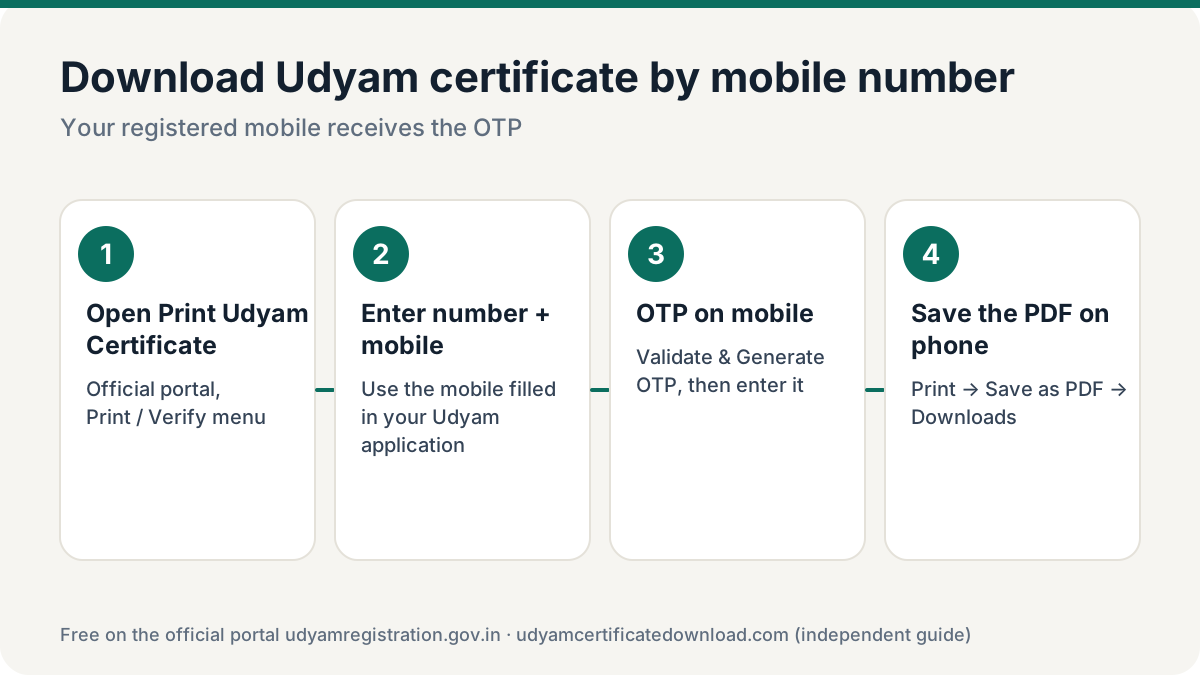
To download Udyam certificate by mobile number, open udyamregistration.gov.in → Print / Verify → Print Udyam Certificate, enter your Udyam number and the mobile number filled in your Udyam application, verify the OTP and save the PDF. If you only have the mobile and not the Udyam number, first use Forgot Udyam/UAM No. with the same mobile to get the number.
Which mobile number works?
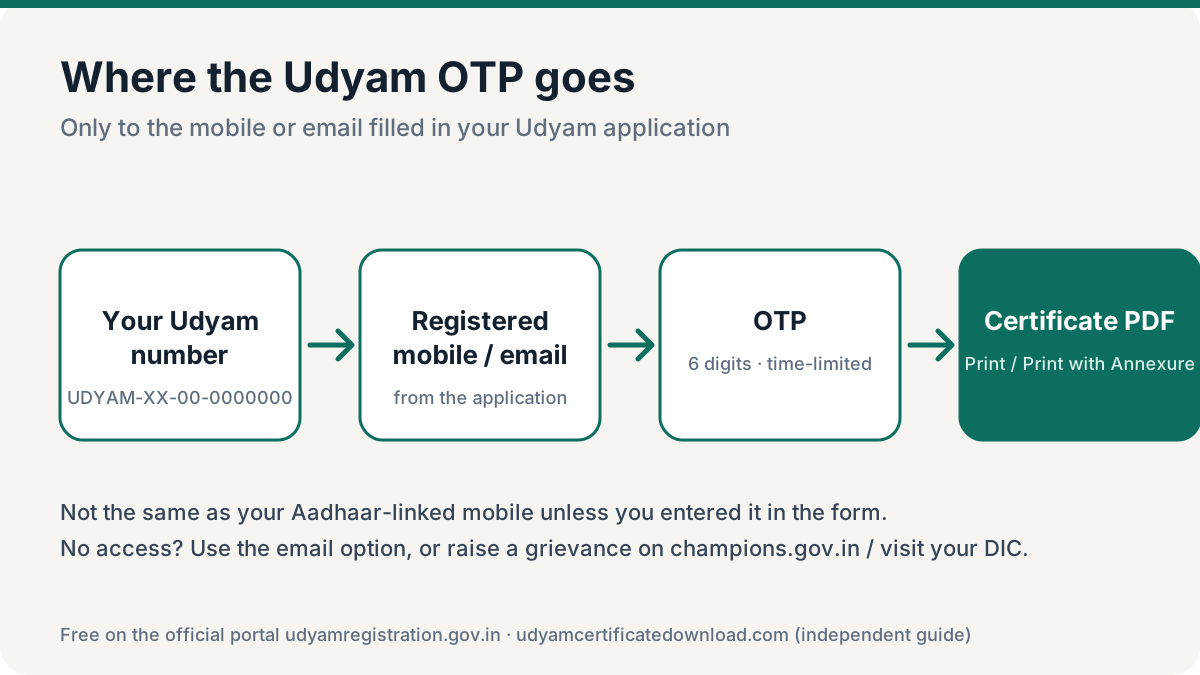
This is where most people get stuck. The portal sends the OTP only to the mobile number that was typed into your Udyam application. That may not be the same as:
- your Aadhaar-linked mobile (Aadhaar OTP is used only during registration),
- the mobile linked to your PAN or bank, or
- your current number, if a consultant or CA did the registration and entered their own number.
Check your old SMS and email for messages from the Udyam portal — the number that received your registration confirmation is the registered one.
How to download Udyam certificate by mobile number
Follow these steps to download Udyam certificate by mobile number when you have your Udyam number. The whole process is free.
Go to the official portal
Open udyamregistration.gov.in in Chrome, Edge or your phone’s browser.
Open Print / Verify → Print Udyam Certificate
On a phone, tap the menu icon first to see the Print / Verify dropdown.
Enter Udyam number and registered mobile
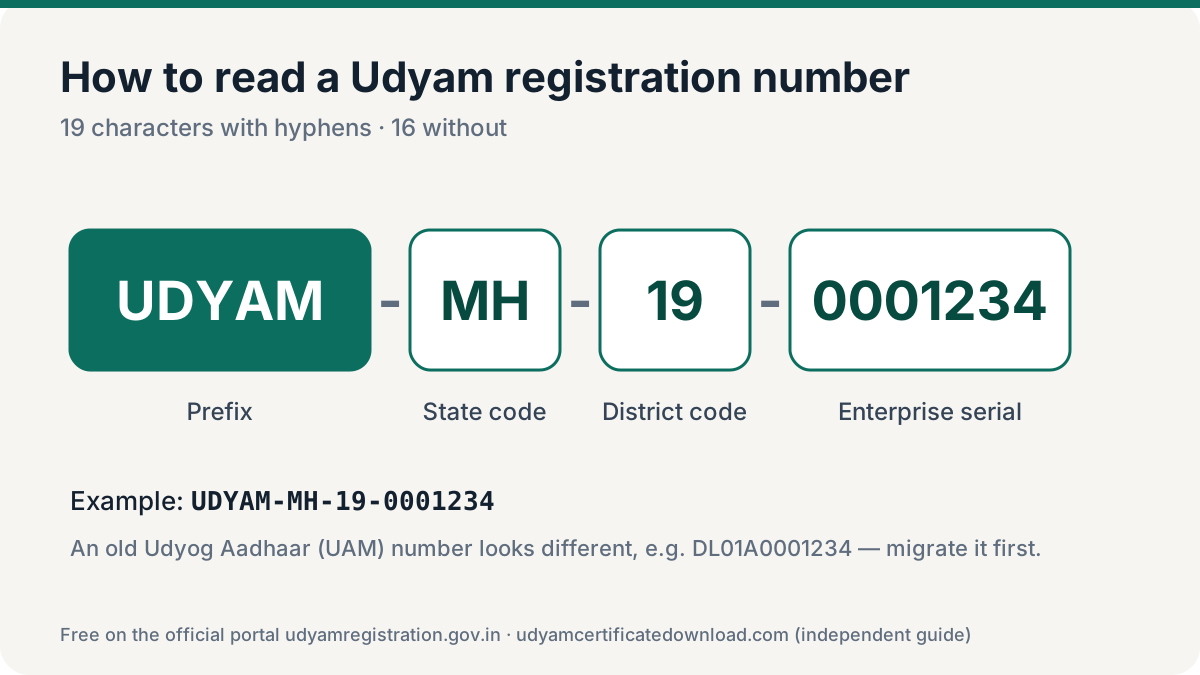
Type your number as UDYAM-XX-00-0000000 and the 10-digit mobile number from your application (no +91).
Choose “OTP on Mobile” and generate
Select the mobile OTP option and click Validate & Generate OTP.
Enter the SMS OTP
Type the OTP and click Validate OTP & Print. If it doesn’t arrive in 2 minutes, regenerate or switch to the email option.
Save the PDF
Click Print or Print with Annexure, then choose Save as PDF. On Android the file goes to Downloads; on iPhone tap Share → Save to Files.
Only have the mobile number? Get the Udyam number first
You cannot download Udyam certificate by mobile number alone, but the same registered mobile number recovers your Udyam number in a minute:
- On the portal, open Print / Verify → Forgot Udyam/UAM No.
- Choose Udyam Registration, select Mobile as the OTP option and enter the registered mobile.
- Click Validate & Generate OTP, enter the OTP and validate. The portal lists all registration numbers linked to that mobile.
- Copy the number and follow the download steps above.
Full walkthrough with error fixes: forgot Udyam registration number.
Udyam certificate PDF on your phone: saving and sharing
| Phone | How to save as PDF | Where it goes |
|---|---|---|
| Android (Chrome) | Tap Print → set printer to “Save as PDF” → tap the PDF/download icon | Files → Downloads |
| iPhone (Safari) | Tap Print → pinch out on the preview → Share → Save to Files | Files app, chosen folder |
| Any phone | After saving, share from Files to WhatsApp or Gmail | Keep one copy in email for backup |
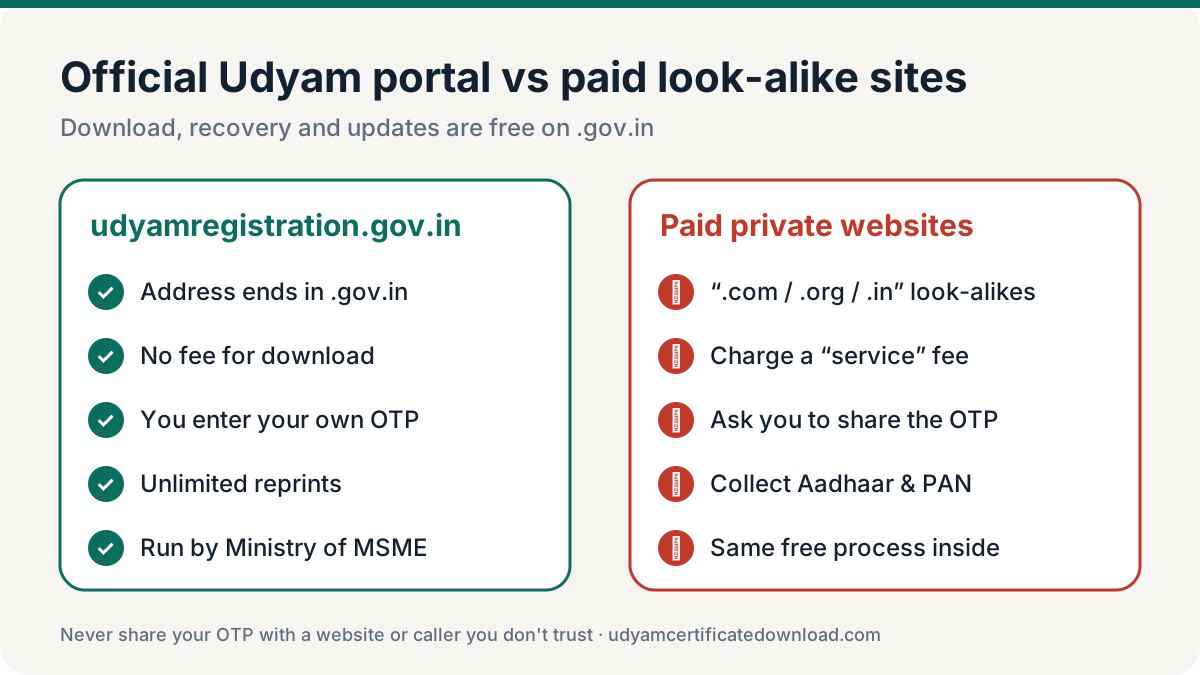
Registered mobile number lost or changed?
You can only download Udyam certificate with mobile number access to the one on file. If that number is gone, use one of these routes:
You still have the registered email
Use the email OTP option to download. Then log in through Update Details with email OTP and change the mobile number. See update Udyam certificate.
You have neither mobile nor email
OTP is mandatory, so the portal cannot help directly. Raise a grievance on the Ministry’s champions.gov.in portal or contact your District Industries Centre (DIC) with Aadhaar, PAN and business proof.
If a consultant registered your business with their number, ask them for the OTP while you watch the screen — and then update the registration to your own mobile so this doesn’t happen again.
Tips before you download Udyam certificate by mobile number
- Keep the phone in hand. The OTP expires in a few minutes, so request it only when you are ready to type it.
- Check network and DND. Weak signal or SMS blocking apps can hold back the OTP. Switch on mobile data and wait two minutes before you request another one.
- Use the email option as backup. If the SMS doesn’t arrive, choose OTP on email — it opens the same certificate.
- Save two copies. After the Udyam certificate download by mobile number PDF is saved, email it to yourself and keep one in Google Drive or other cloud storage.
- Update an old number. If the registered mobile belongs to a consultant or an old SIM, change it on the portal so the next download is in your control.
Frequently asked questions
How do I download Udyam certificate by mobile number?
Open udyamregistration.gov.in, go to Print / Verify → Print Udyam Certificate, enter your Udyam number and the registered mobile number, choose OTP on mobile, enter the OTP and save the certificate as PDF.
Can I download the Udyam certificate with only a mobile number?
Not in one step. Use the mobile to recover your Udyam number through Forgot Udyam/UAM No., then use the number and the same mobile OTP to download the certificate.
Why am I not getting the OTP on my mobile?
Usually because the mobile you entered is not the one in your Udyam application. Try the email OTP option, check which number received your original registration SMS, or wait two minutes and regenerate.
Is the Aadhaar-linked mobile the registered Udyam mobile?
Only if you entered it in the application. The Udyam portal uses the mobile filled in the form, not automatically the Aadhaar-linked number.
Can I download the Udyam certificate PDF on my phone?
Yes. The official portal works in mobile browsers. Use Print, then Save as PDF, and the file is stored on your phone.
How do I change the mobile number on my Udyam registration?
Log in through Update Details on the portal with the Udyam number and an OTP on the currently registered mobile or email, change the mobile number and submit. Then download a fresh certificate.