On this page
The Udyam certificate (Udyam Registration Certificate, also called the MSME certificate) is the official e-certificate issued by the Ministry of MSME after Udyam registration. It carries your 19-character Udyam number, enterprise details, MSME classification and a QR code. It is valid for life and can be downloaded free any number of times.
How to read your Udyam number
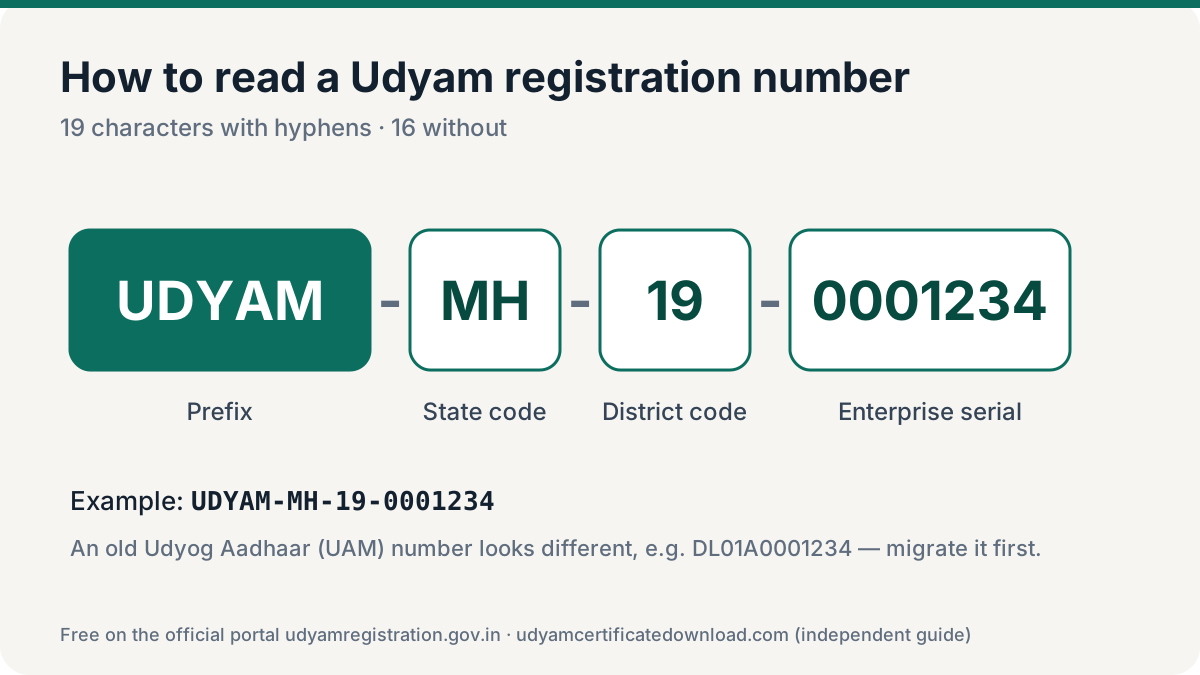
| Part | Example | Meaning |
|---|---|---|
| Prefix | UDYAM | Identifies a Udyam registration |
| State code | MH | 2-letter state/UT code |
| District code | 19 | 2-digit district code |
| Serial | 0001234 | 7-digit enterprise number |
Together: UDYAM-MH-19-0001234 — 19 characters including hyphens. Some websites call it a “16-digit number” because there are 16 characters without the hyphens.
What is printed on the Udyam certificate
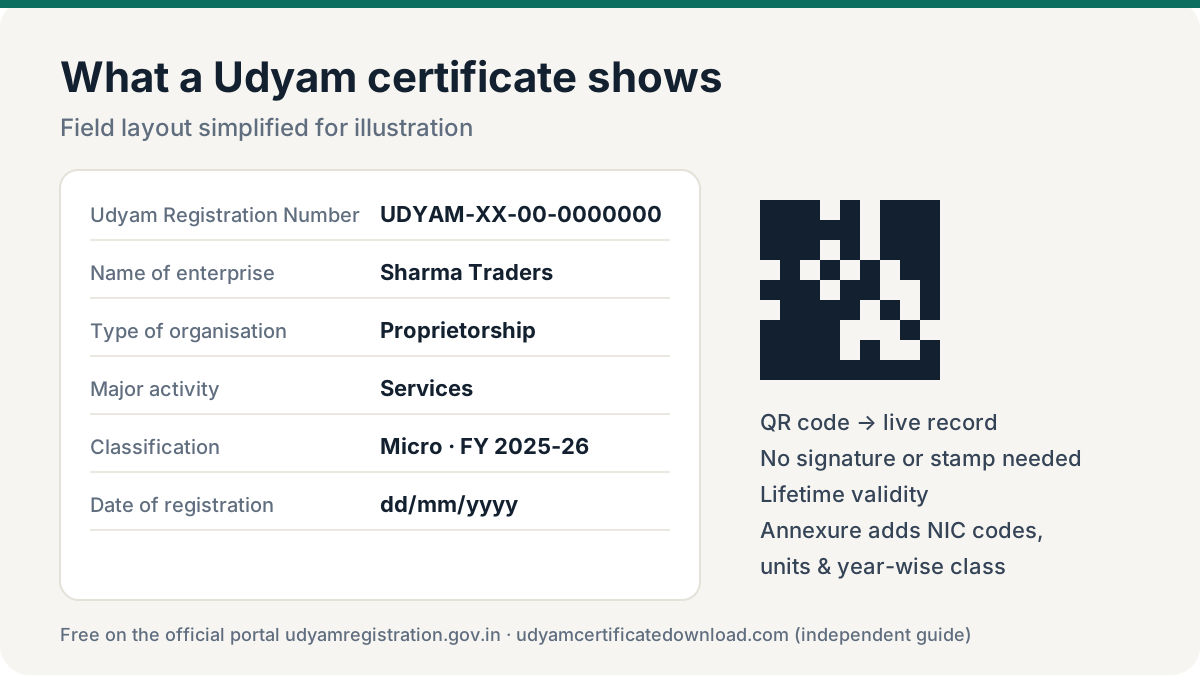
Registration
Udyam number, date of registration, date of incorporation/commencement.
Enterprise
Name of enterprise, type of organisation, major activity (manufacturing/services).
Classification
Micro, Small or Medium, by financial year.
Owner & address
Social category, official address, district and DIC.
QR code
Scan to see the registration on the official portal.
Annexure (optional)
Activities (NIC codes), units and classification history — see with annexure.
MSME classification on the certificate
The classification line is the part lenders and buyers read first, because it decides which schemes, loan terms and payment protections apply to your business.
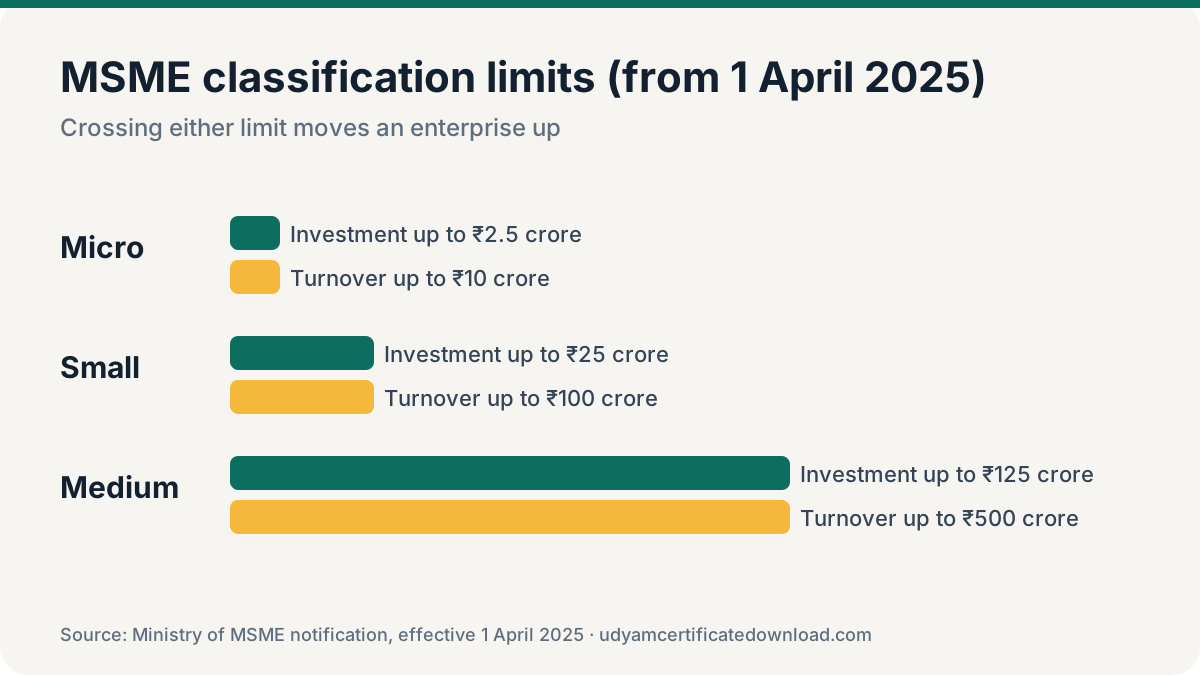
Since 1 April 2025, enterprises are classified as Micro (investment up to ₹2.5 crore and turnover up to ₹10 crore), Small (up to ₹25 crore / ₹100 crore) or Medium (up to ₹125 crore / ₹500 crore). The classification is calculated from ITR and GST data linked to the enterprise’s PAN.
Validity and authenticity
- Lifetime validity — no renewal, no expiry date.
- No signature or stamp needed — it is a system-generated e-certificate.
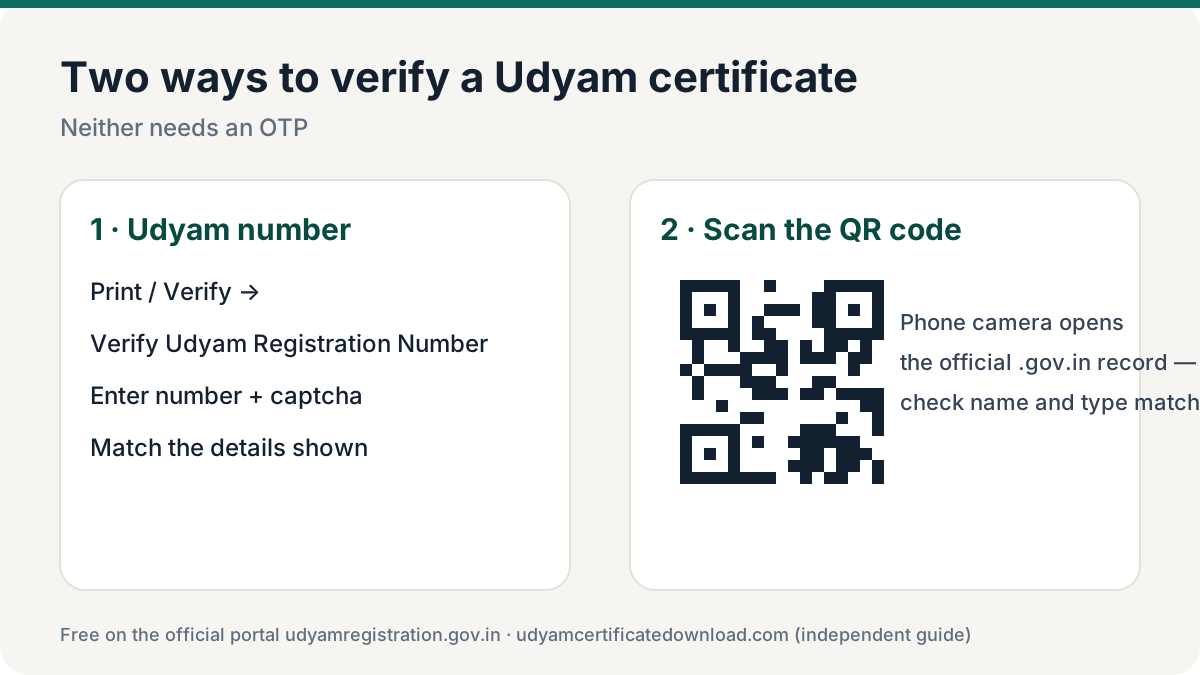
- Verifiable by anyone using the Udyam number or QR code — see verify a Udyam certificate.
- Print in colour on A4 so the QR code scans reliably, and keep the PDF in your email for quick sharing.
- Keep it current — update when details change and download a fresh copy.
Where the Udyam certificate is used
| Where | Why |
|---|---|
| Banks, NBFCs | MSME/priority-sector loans, CGTMSE cover, working capital |
| GeM and tenders | MSME preference, EMD exemption in many bids |
| Buyers | Delayed-payment protection under the MSMED Act |
| Central/state schemes | Subsidies, incentives and concessions |
| Large companies | Vendor onboarding, MSME disclosures |
How to get a copy of your Udyam certificate
Every copy comes from the official portal udyamregistration.gov.in, free and as many times as you need. Open Print / Verify → Print Udyam Certificate, enter your Udyam number and the registered mobile, verify the OTP and save the PDF. Full steps: Udyam certificate download guide. If you lost the number, recover it first; if you only have an old Udyog Aadhaar, migrate it to Udyam.
Udyam acknowledgement vs Udyam certificate
Acknowledgement
Confirms the application was submitted. Not accepted as proof of MSME status.
Certificate
The final document with Udyam number and QR code. This is what banks and departments accept.
Frequently asked questions
What is a Udyam certificate?
It is the official MSME registration e-certificate issued by the Ministry of MSME through udyamregistration.gov.in, showing the Udyam number, enterprise details, classification and a QR code.
Is the MSME certificate the same as the Udyam certificate?
Yes. Since July 2020 the MSME registration certificate is the Udyam Registration Certificate.
How long is the Udyam certificate valid?
For life. There is no renewal, but details should be kept updated.
Is the Udyam number 16 or 19 digits?
It is 19 characters with hyphens (UDYAM-XX-00-0000000), or 16 characters without the hyphens. Both describe the same number.
How do I get a copy of my Udyam certificate?
Download it free on udyamregistration.gov.in under Print / Verify → Print Udyam Certificate using your Udyam number and an OTP.