On this page
Udyam registration is the free, online MSME registration of the Government of India, done only on udyamregistration.gov.in. You need the owner’s or authorised signatory’s Aadhaar and the enterprise’s PAN (GSTIN where GST applies). No documents are uploaded, and the Udyam number and certificate are issued online after submission.
Who can register (MSME limits from 1 April 2025)
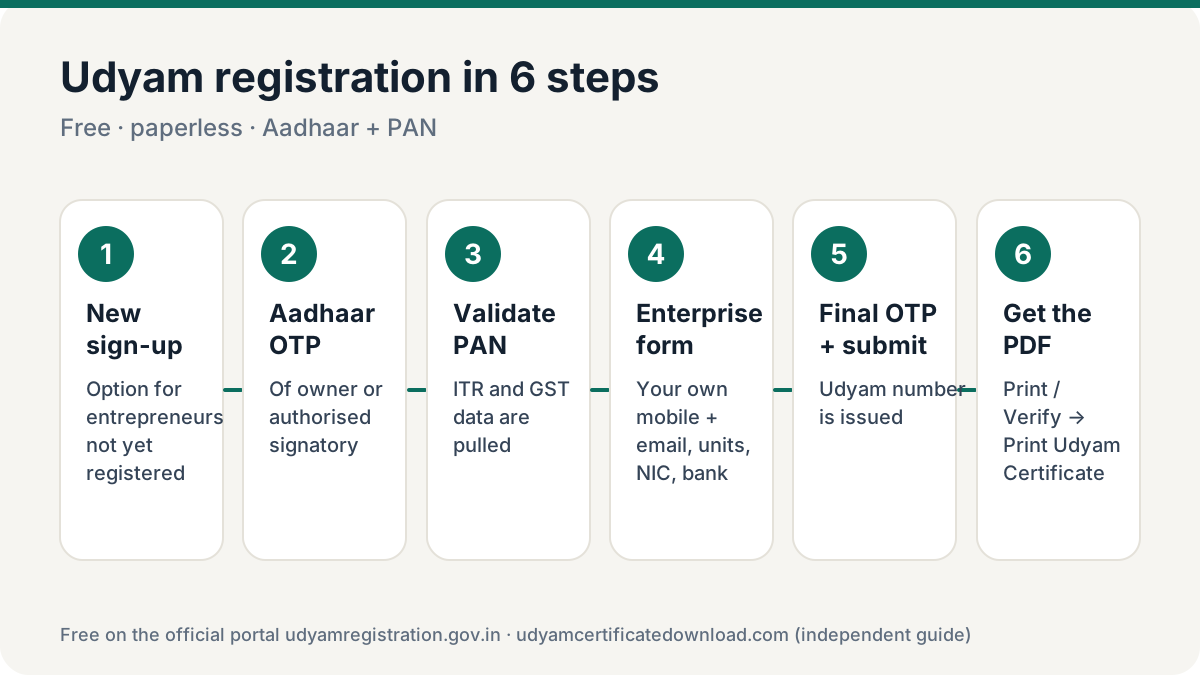
Manufacturing and service enterprises are classified on both investment in plant, machinery or equipment and annual turnover. An enterprise moves to the higher category if it crosses either limit.
| Category | Investment up to | Turnover up to |
|---|---|---|
| Micro | ₹2.5 crore | ₹10 crore |
| Small | ₹25 crore | ₹100 crore |
| Medium | ₹125 crore | ₹500 crore |
Proprietorships, partnerships, LLPs, companies, cooperatives, societies and trusts doing business can register. Retail and wholesale traders can register for priority-sector lending benefits.
What to keep ready
Aadhaar
Of the proprietor, managing partner, karta or authorised signatory, with access to the Aadhaar-linked mobile for OTP.
PAN
Of the enterprise (personal PAN for a proprietorship). ITR and GST data are pulled from it.
Business details
Name, address, units, date of commencement, activity (NIC codes), employees.
Bank details
Account number and IFSC of the business account.
Udyam registration process, step by step
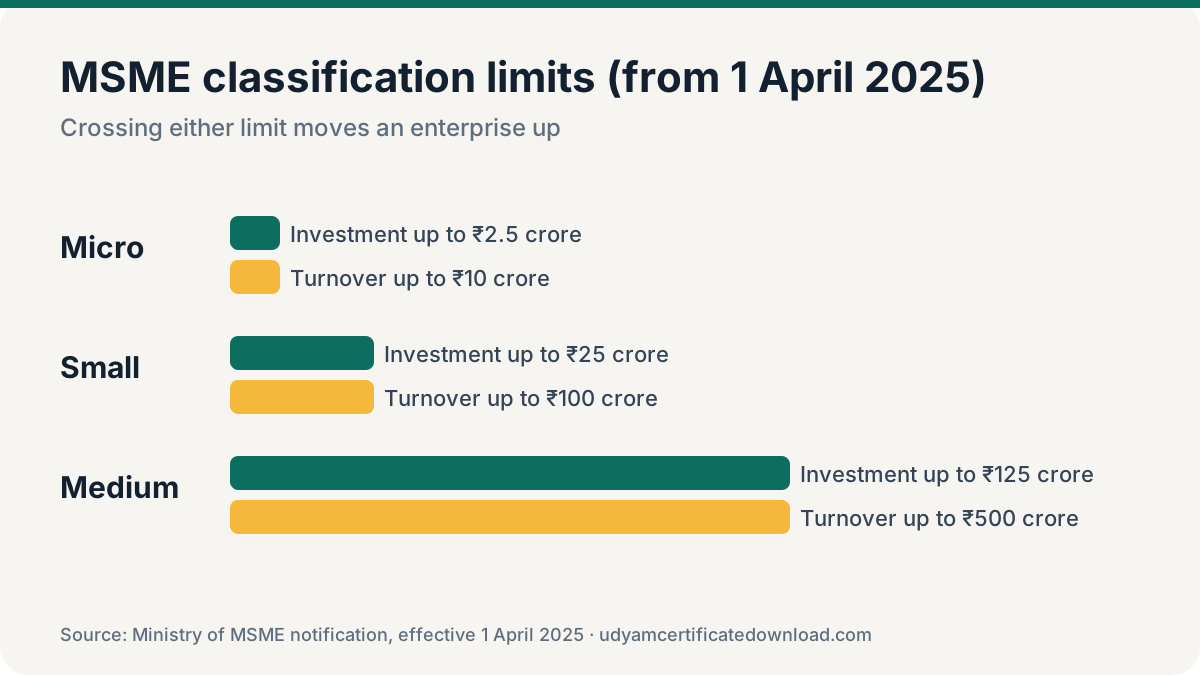
Choose new registration
On udyamregistration.gov.in choose the option for new entrepreneurs not yet registered as MSME.
Verify Aadhaar
Enter the Aadhaar number and name as on Aadhaar, give consent and validate the OTP sent to the Aadhaar-linked mobile.
Validate PAN
Select the type of organisation, enter PAN and validate. Answer whether ITR has been filed and whether you have GSTIN.
Fill the enterprise form
Enter mobile and email (these will receive future OTPs — use your own), social category, enterprise name, units and addresses, dates, bank details, activity and NIC codes, employees and DIC.
Submit with final OTP
Accept the declaration, click submit and get final OTP. The Udyam number is shown and sent to you.
Download your certificate
Use Print / Verify → Print Udyam Certificate. See the full Udyam certificate download guide.
Enter your own mobile number and email in the form, even if a consultant helps you. Every future download, update and recovery needs an OTP on these.
Common Udyam registration mistakes
- Using a consultant’s mobile or email. Every future OTP goes there. Use your own.
- Wrong PAN for the entity. A company or LLP must use its own PAN, not a director’s personal PAN.
- Wrong NIC code. Pick the activity you actually earn from; it decides which schemes and tenders fit.
- Registering twice. If the portal says the Aadhaar or PAN is already registered, recover the existing number instead.
Benefits of Udyam registration
- Priority-sector and collateral-free loans (e.g. under CGTMSE), often at better terms.
- Preference in government procurement, GeM seller benefits and EMD exemptions in many tenders.
- Protection against delayed payments under the MSMED Act — buyers must pay within agreed time (max 45 days) or pay interest.
- Access to central and state MSME schemes and subsidies.
Frequently asked questions
Is Udyam registration free?
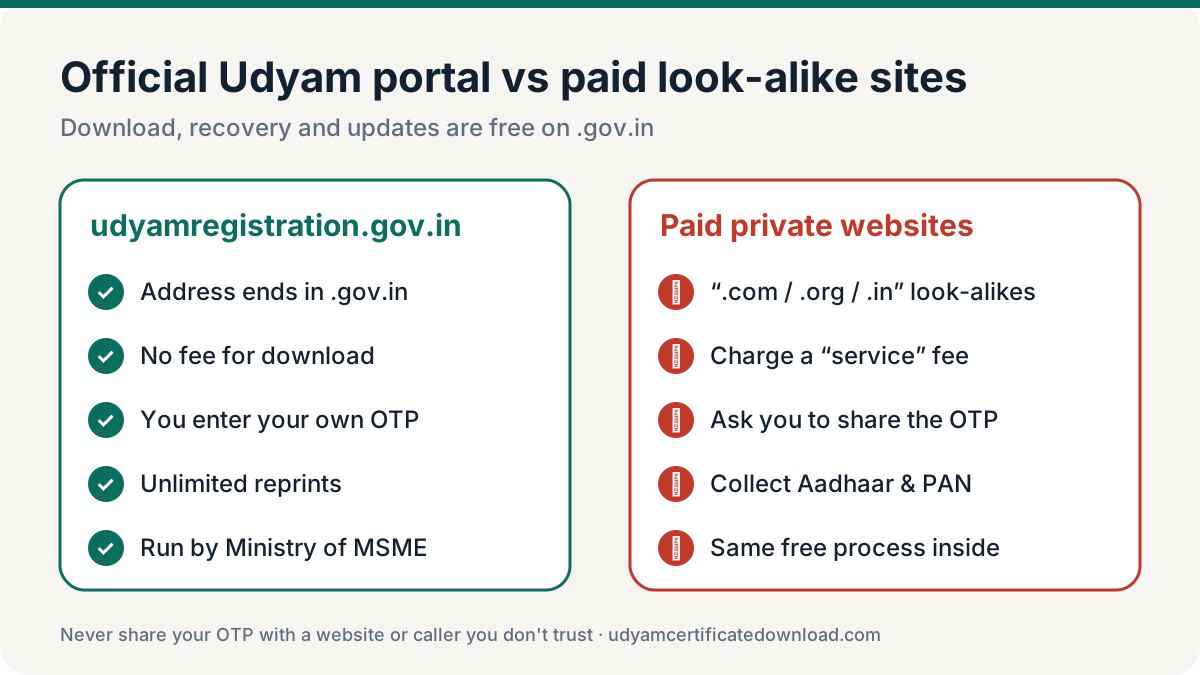
Yes. There is no government fee for Udyam registration on udyamregistration.gov.in. Private websites that charge are offering paid assistance.
Is GST mandatory for Udyam registration?
Only if your business is required to have GST registration under GST law. Otherwise you can register without GSTIN.
Do I need to upload documents?
No. Registration is paperless; details are verified through Aadhaar, PAN, ITR and GST records.
Does Udyam registration need renewal?
No. It is valid for life. Keep details updated; classification is refreshed from ITR and GST data.
Can one person have two Udyam registrations?
No. One person can file only one Udyam registration. Additional activities or units are added to the same registration.