On this page
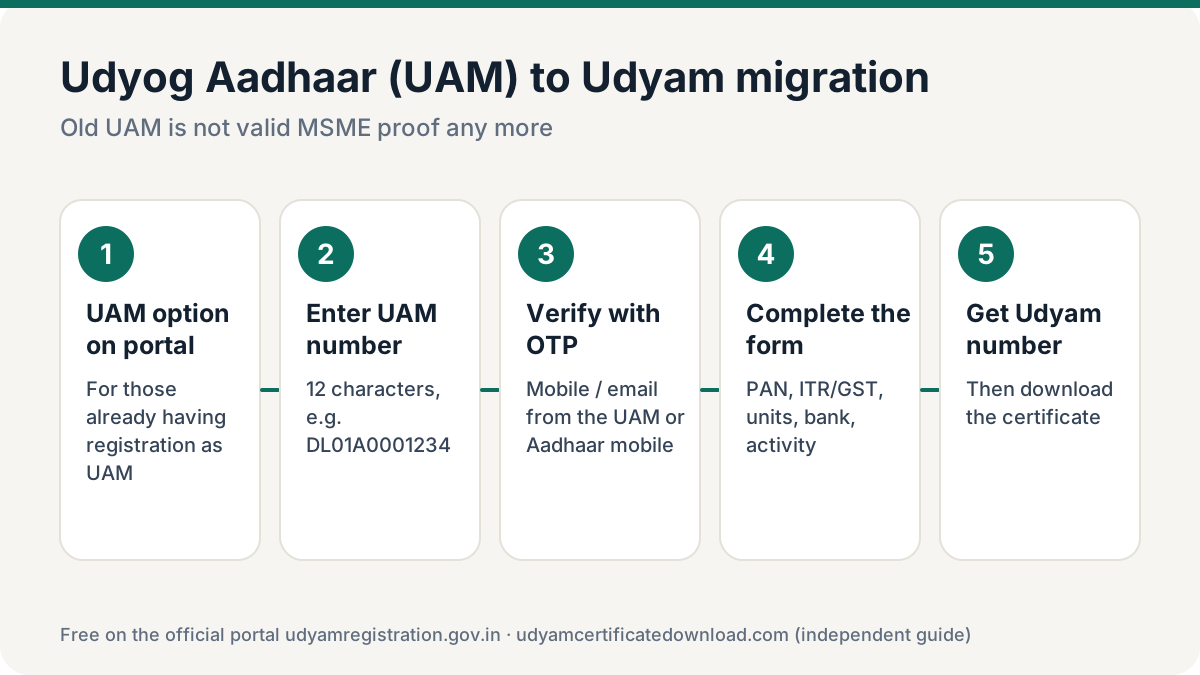
Moving from Udyog Aadhaar to Udyam is free and takes about 20 minutes. An old Udyog Aadhaar (UAM) is no longer accepted as MSME proof and cannot give you a Udyam certificate. On udyamregistration.gov.in choose the option for those already having registration as UAM, enter your Udyog Aadhaar number, verify with OTP, fill in the Udyam form and submit. You get a new Udyam number and can download the certificate — free.
UAM vs Udyam: what changed
| Udyog Aadhaar (UAM) | Udyam Registration | |
|---|---|---|
| Period | 2015 – June 2020 | From 1 July 2020 |
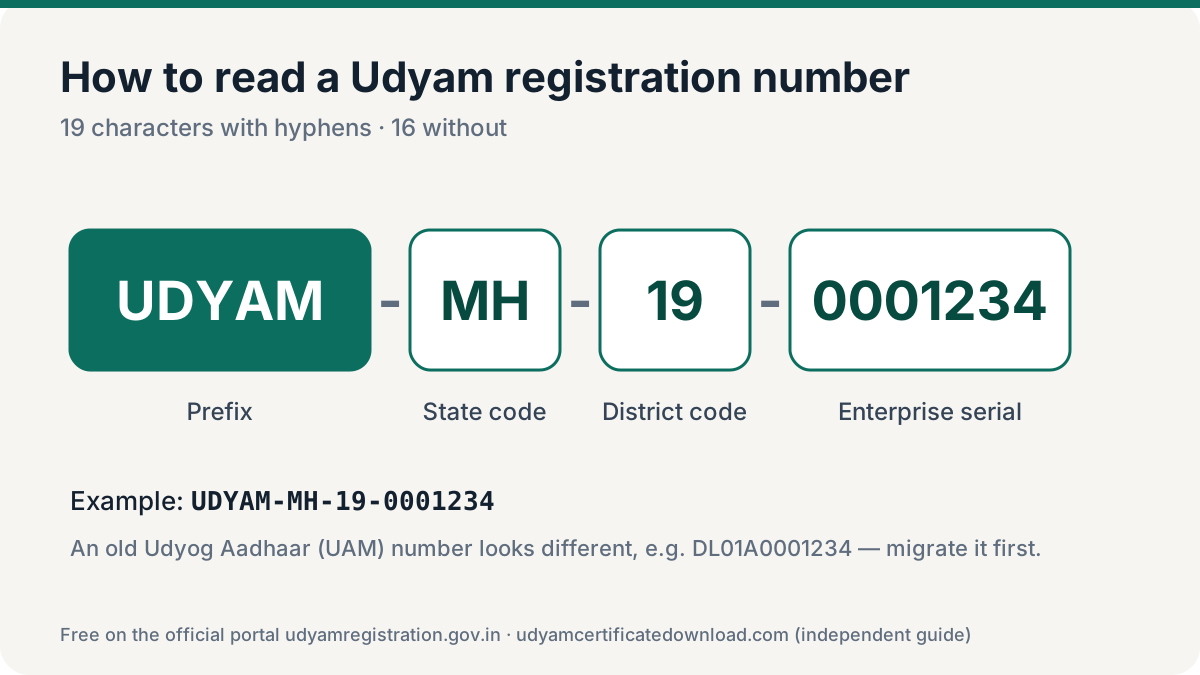
| Number format | 12 characters, e.g. DL01A0001234 | UDYAM-XX-00-0000000 |
| Data check | Self-declared | Linked to PAN, ITR and GST |
| Current status | Not valid as MSME proof | Valid for life |
How to migrate Udyog Aadhaar to Udyam
Open the UAM option on the portal
On the udyamregistration.gov.in home page choose the button for those already having registration as UAM.
Enter the Udyog Aadhaar number
Type your 12-character UAM number. If you forgot it, recover it through Print / Verify → Forgot Udyam/UAM No. with the Udyog Aadhaar option.
Verify with OTP
Choose the OTP option offered (mobile or email from your UAM, or Aadhaar-linked mobile), then validate.
Complete the Udyam form
Validate PAN, answer the ITR and GST questions, and fill address, units, bank details, activity (NIC codes) and employees. Investment and turnover are drawn from PAN-linked records.
Submit and download
Submit with final OTP. Note your new Udyam number, then download the certificate from Print / Verify → Print Udyam Certificate.
What to keep ready
- Udyog Aadhaar number
- Access to the mobile or email used in the UAM (or Aadhaar-linked mobile)
- PAN of the enterprise and GSTIN if you have one
- Bank account number and IFSC
- Address of office and each unit, and your main activity
Keep the details exactly as they appear in your PAN and bank records. A spelling difference in the enterprise name or a personal bank account used for a company are the most common reasons a migration gets rejected or needs to be corrected later.
If the portal says your PAN already has a Udyam registration, someone has already migrated or registered the business. Don’t register again — recover the Udyam number instead.
What happens to your old UAM number?
After the switch from Udyog Aadhaar to Udyam, the portal issues a brand-new Udyam number in the UDYAM-XX-00-0000000 format. The old UAM number stays in the system for reference, but it no longer works as MSME proof. Quote the new number everywhere: bank loan files, GeM, tender bids, vendor forms and invoices to buyers who track MSME payments.
Your MSME classification is also recalculated during the UAM to Udyam migration. It is based on the investment and turnover figures linked to your PAN, ITR and GST — not on what was self-declared in the old Udyog Aadhaar — so the category may change. Download the new certificate with annexure to see the year-wise classification.
Frequently asked questions
Is Udyog Aadhaar still valid?
No. Udyog Aadhaar registrations are no longer accepted as MSME proof. Businesses need a Udyam registration.
Is UAM to Udyam migration free?
Yes. Migration on udyamregistration.gov.in is free.
Can I download a Udyam certificate with my UAM number?
No. The Print Udyam Certificate page accepts only Udyam numbers. Migrate the UAM first to get a Udyam number.
Can I still print my old UAM certificate?
The portal still has a Print UAM Certificate option for records, but the UAM certificate itself is not accepted as current MSME proof.
What if the UAM migration option doesn’t work?
Check the UAM number and OTP contact. If migration still fails, you can do a fresh Udyam registration with the enterprise’s PAN and Aadhaar of the owner or authorised signatory.